Identity verification (KYC) is essential to increase your deposit and withdrawal limits and to fully secure your account on Kazawallet.
In order to officially complete your identity verification and enjoy all the platform's features, please follow these detailed steps:
Steps:
Log in to your Kazawallet account via the web or app.
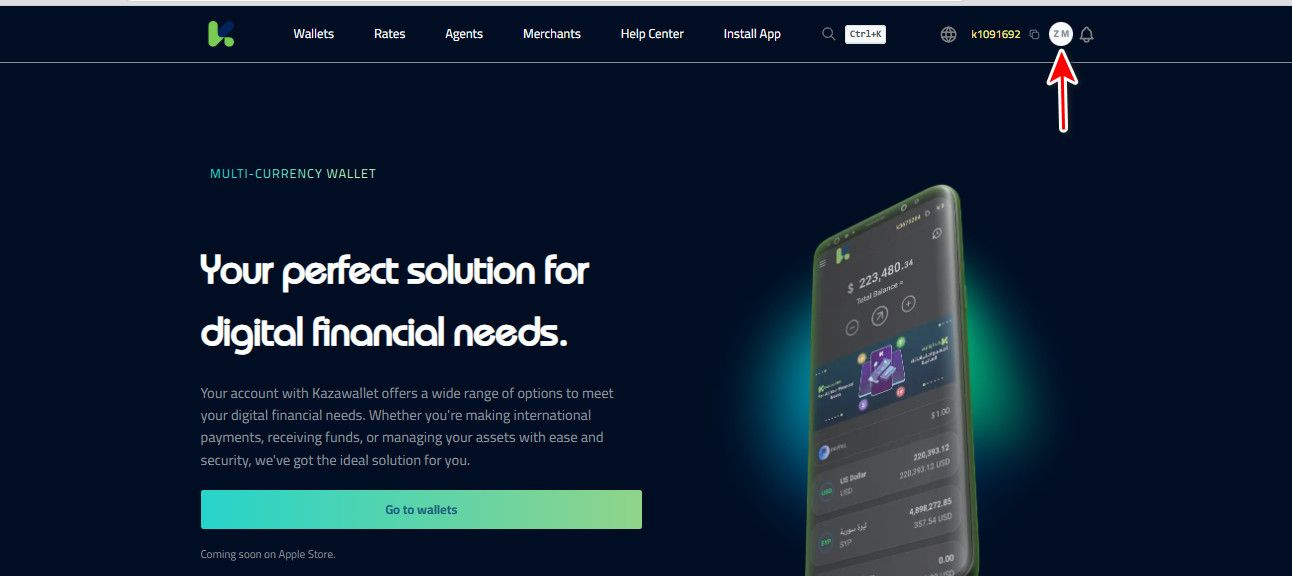
Click on the profile icon (Avatar) at the top of the interface.
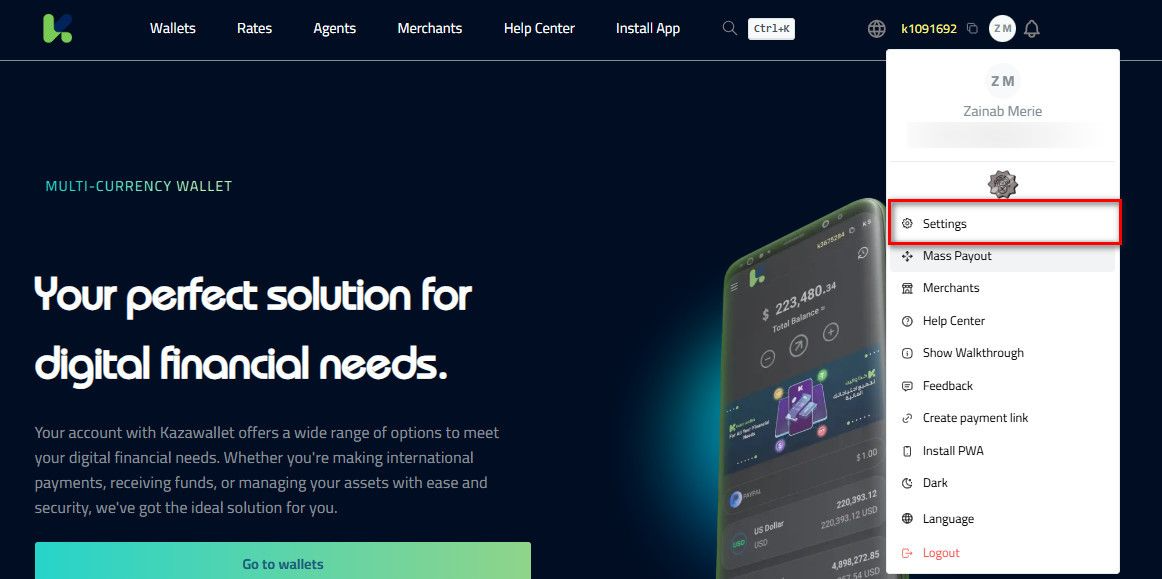
Select "Settings" from the dropdown menu.
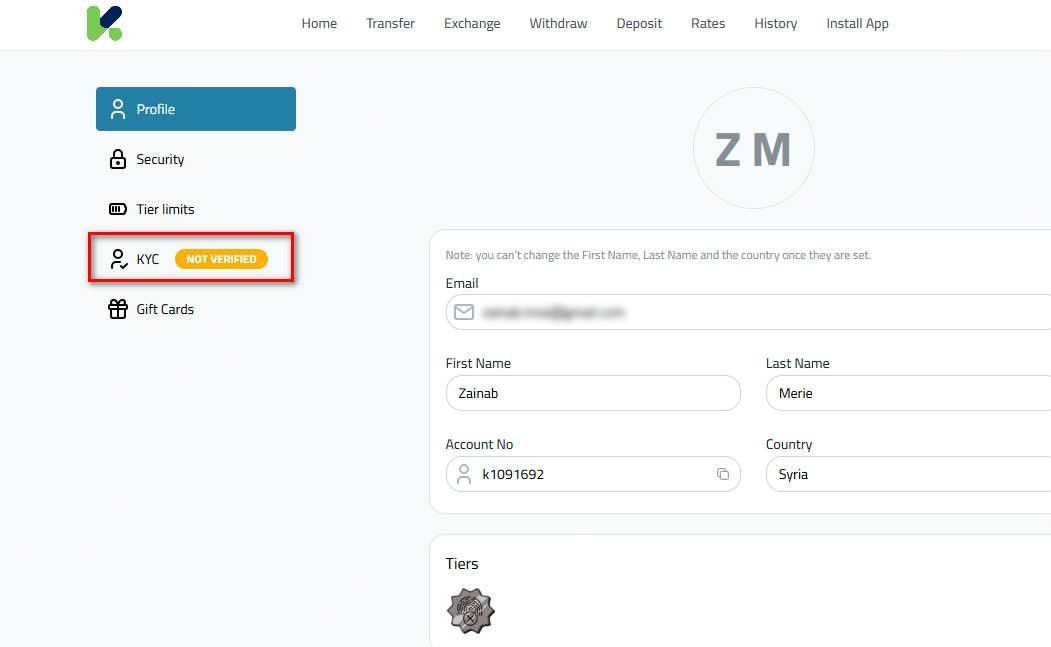
Navigate to the “Account Verification” tab.
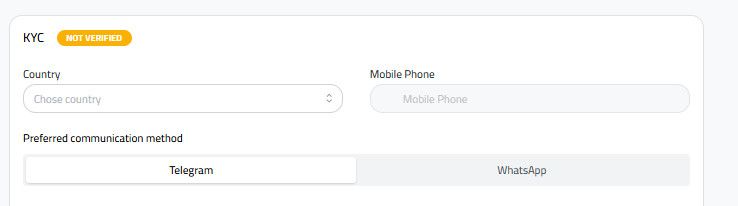
Enter your mobile number and choose your preferred contact method (WhatsApp or Telegram).
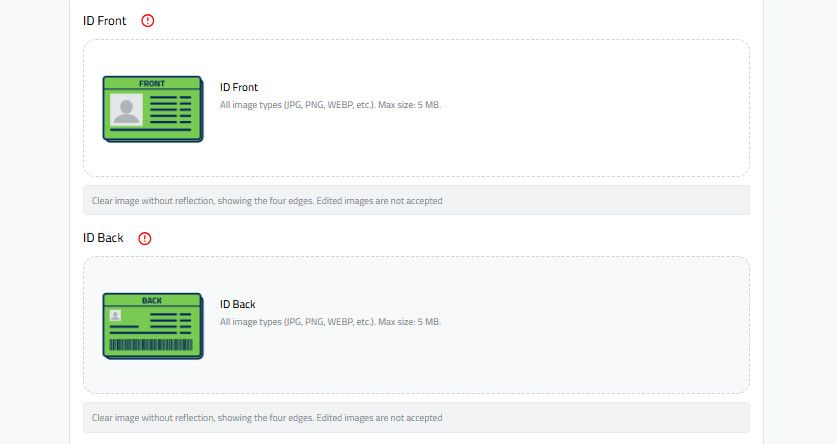
Upload the following photos in high resolution:
Front view of your ID card.
Back view of your ID card.
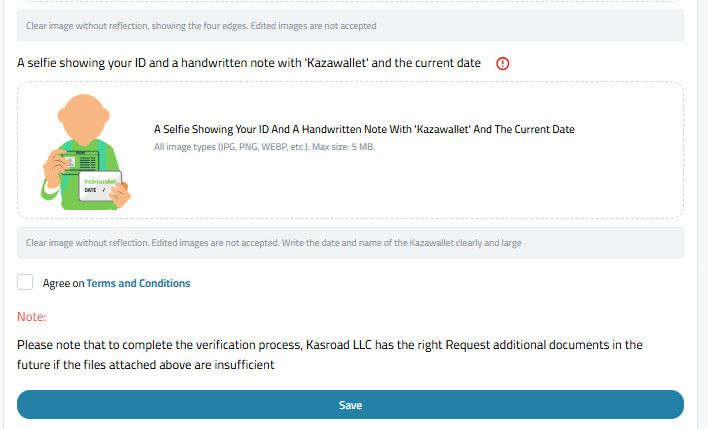
Handheld Selfie with ID: A photo of yourself holding your ID card next to a white piece of paper clearly handwritten with "Kazawallet" and the current date.
Agree to the Terms and Conditions, then click "Save" to submit your request.
Result:The Kazawallet team will review your documents shortly. Upon approval, your account will receive a Verified Badge, confirming your identity has been officially verified.