Creating your Kazawallet virtual card is a simple process that enables you to shop globally using your crypto balance.
In order to create your first virtual card and start your global shopping journey, please follow the simple steps outlined below:
Steps:
Log in to your Kazawallet account and go to the main dashboard.
From the side menu or main interface, click on the "Cards" tab.
Click on the option “Get new card”.
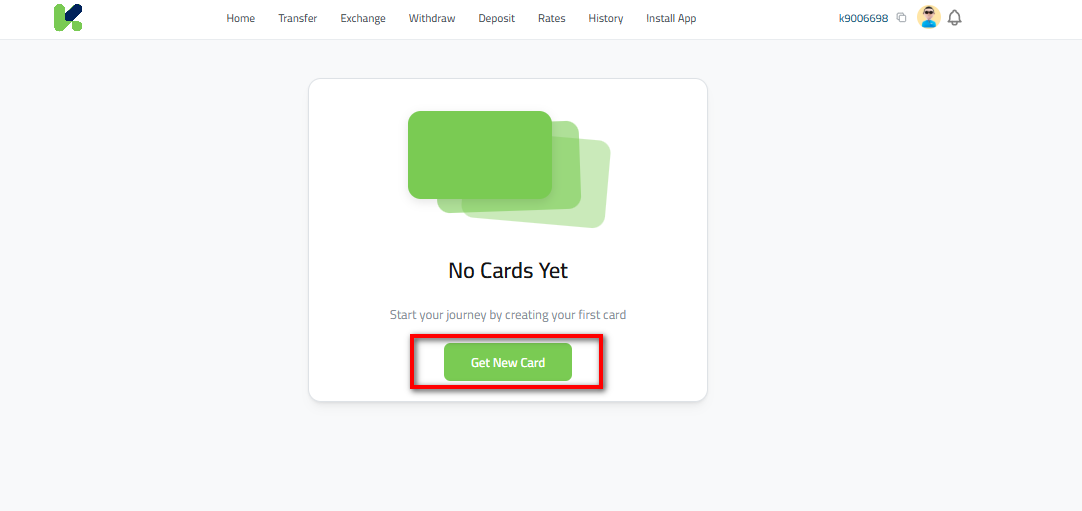
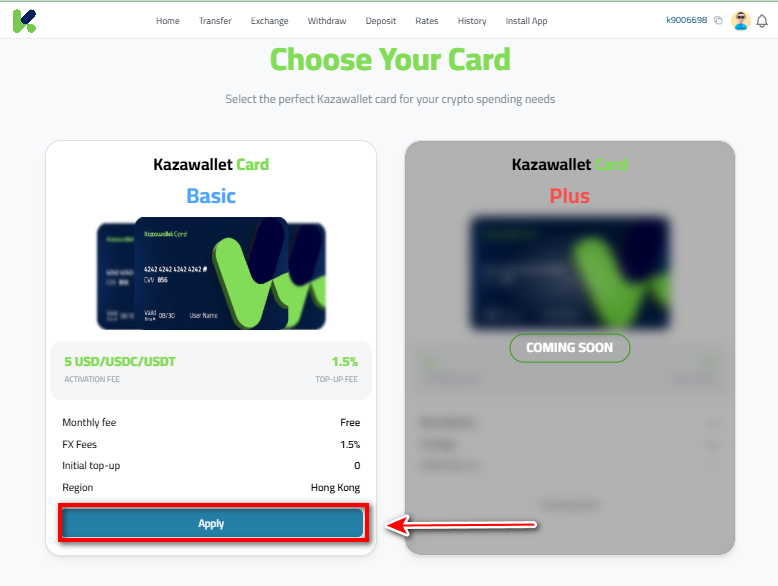
On the new page, scroll down to find the card details, then click the “Apply” button.
Click the “Apply” button.
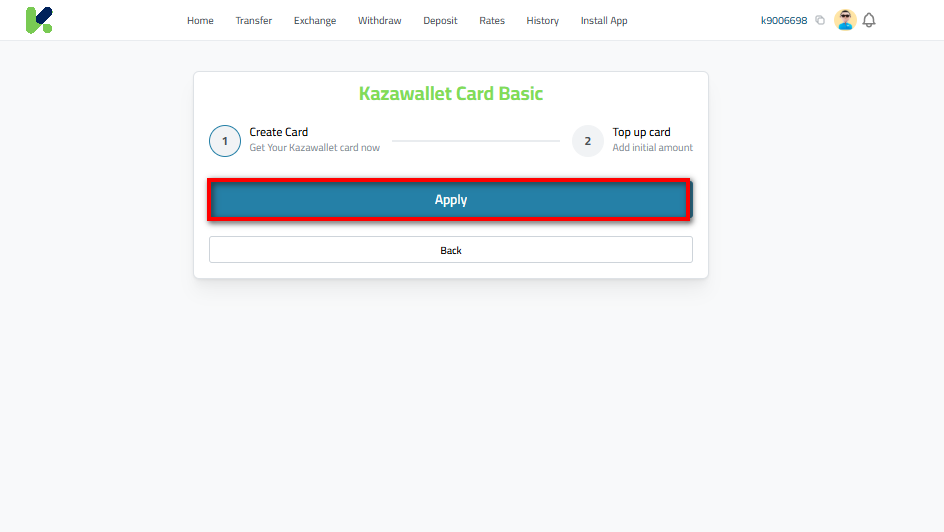
Check the agreement box: “I agree to the card creation terms and conditions,” then click “Continue”.
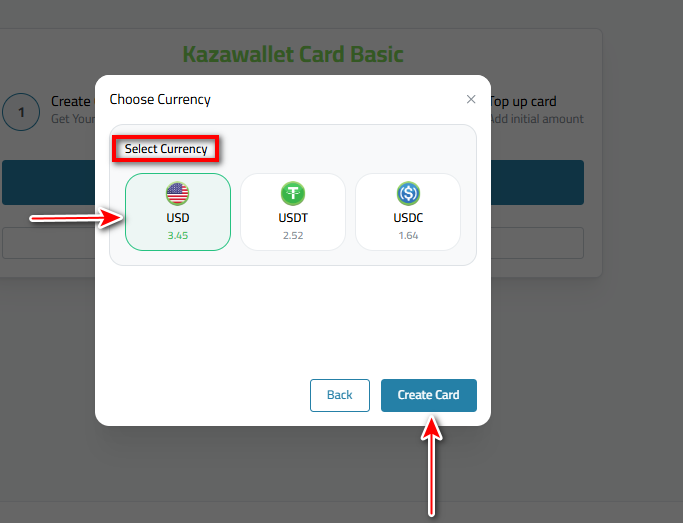
Select the currency from which you want to deduct the creation fee (such as USD, USDT, or USDC) based on your available balance.
Click "Create Card" to complete the process.
Key Details:
- Creation Fee: A one-time fee of $5 is charged for card creation.
- Verification Requirement: The card is only available for verified accounts. If your account is not yet verified, please refer to the Account Verification Guide.