Freezing is an immediate security measure that prevents the use of the card if suspicious activity is suspected; it is reversible at any time.
In order to activate the immediate security feature and protect your balance by freezing or reactivating your card, follow these steps:
Steps to Freeze:
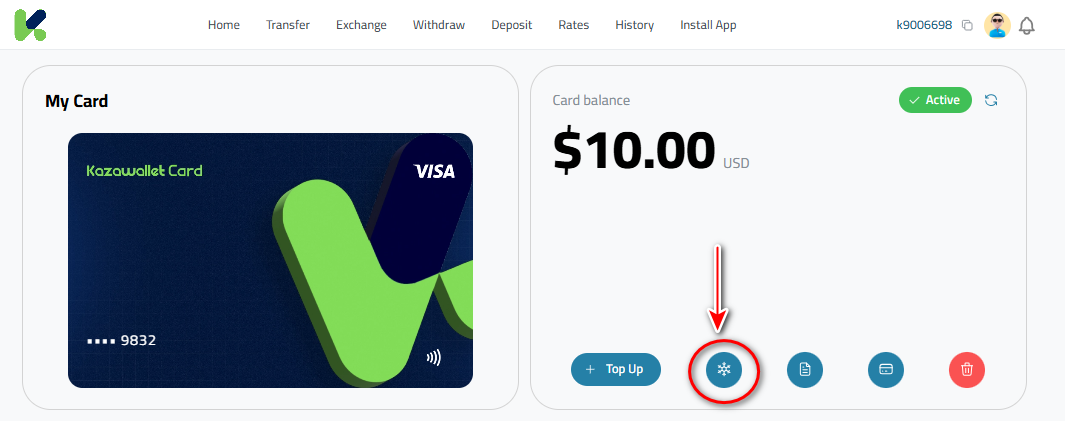
Go to the "My Cards" section.
Click the freeze icon (snowflake shape) next to your balance.
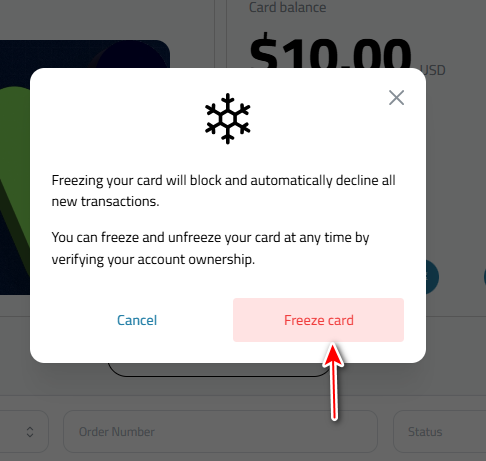
Confirm the process to block all new transactions immediately.
Steps to Unfreeze:
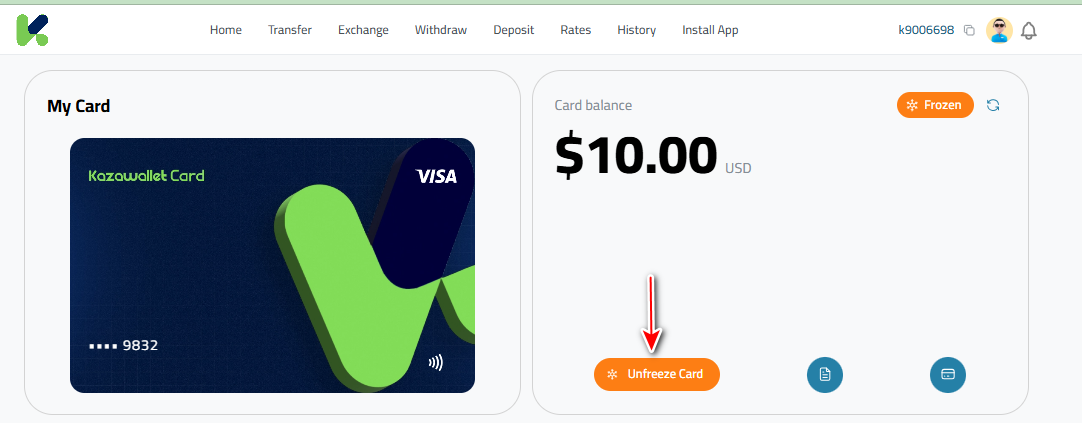
Click the orange button "Unfreeze Card" in the My Cards section.
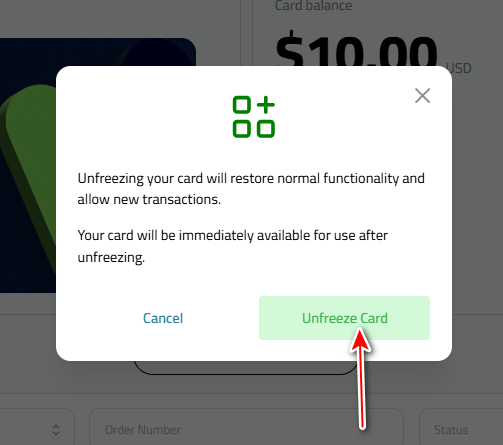
Confirm that the card functions instantly.
Note: In case of automatic freezing due to misuse (such as repeated purchase attempts with insufficient balance), the reactivation process by the support team may take up to 7 business days.