You can cancel a withdrawal request exclusively through your personal Kazawallet account by following these steps:
Steps
- Access Transaction History
- Open your personal Kazawallet account
- Navigate to Transaction History
- Select the withdrawal request you want to cancel
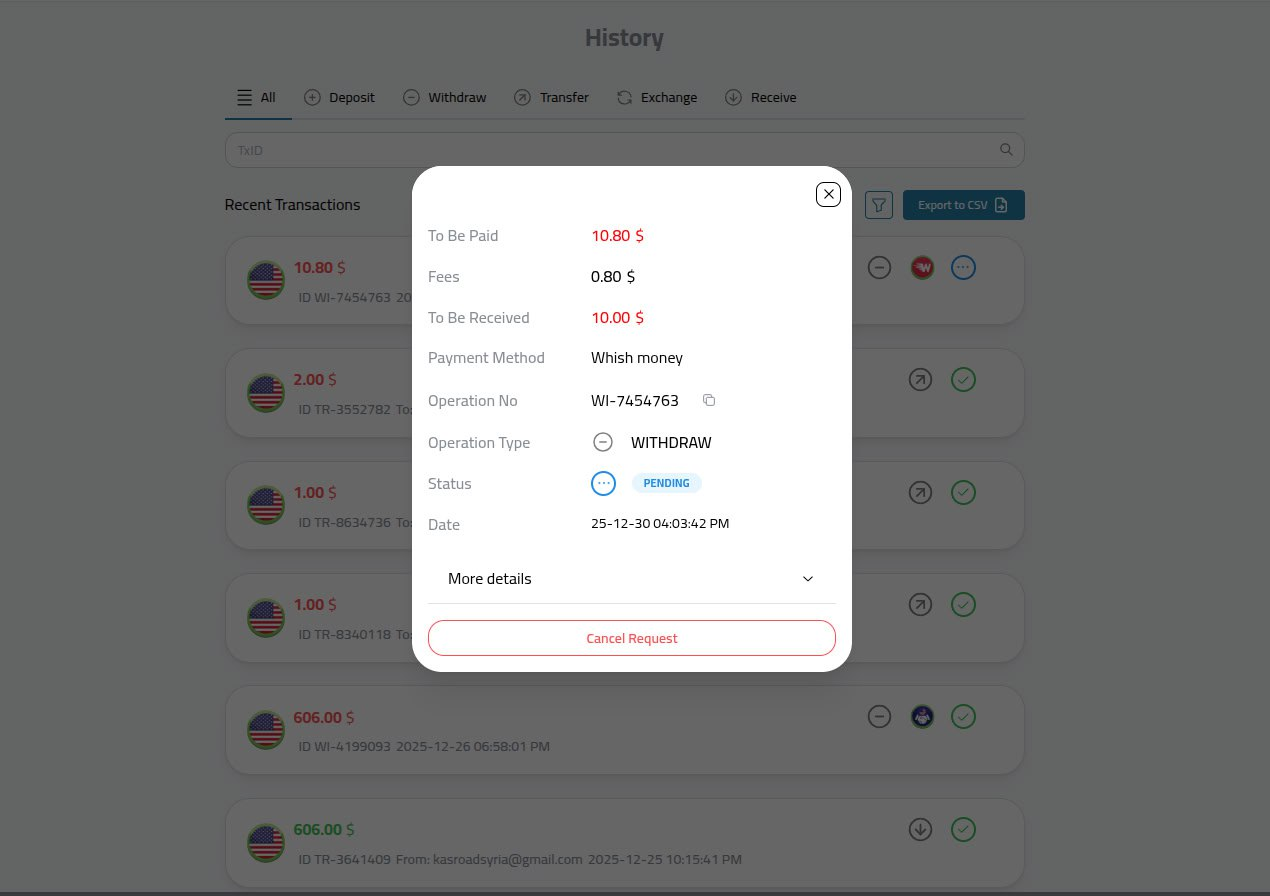
- Click the Cancellation Option
- Scroll to the bottom of the withdrawal request
- Click "Cancel Withdrawal Request"
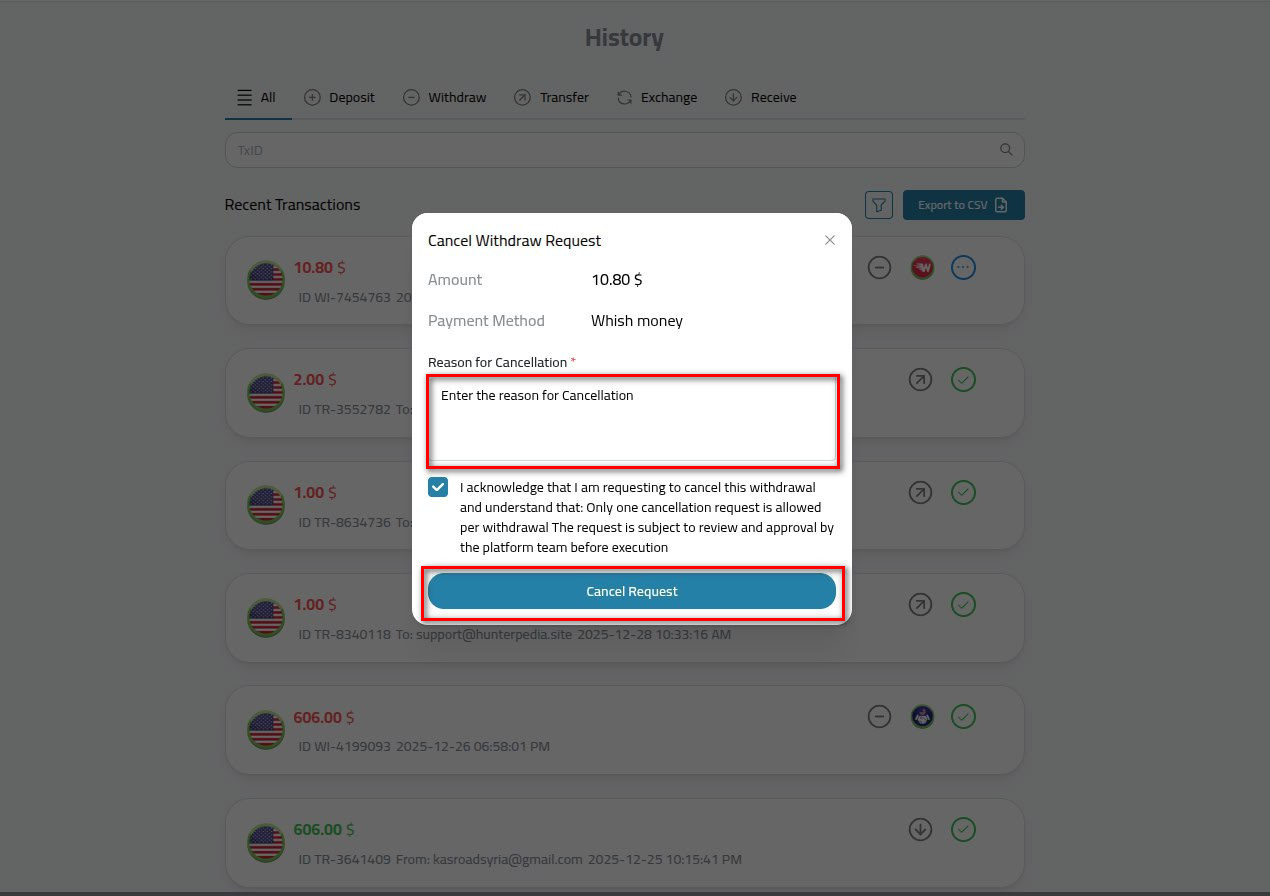
- Enter Cancellation Reason
- Enter the reason for cancellation in the designated field
- Confirm
- Click the box to confirm your desire to cancel
- Cancellation will be executed after Financial Operations department approval
When Can You Cancel a Withdrawal Request?
✓ Cancellation Available: When the withdrawal request is under review
✗ Cancellation Not Available: If the withdrawal request has already been executed
Important Notes
Review Process
- Submitting a cancellation request does not mean immediate cancellation
- All cancellation requests undergo review by the Financial Operations department
- The withdrawal request may have already been executed, making cancellation impossible
- Completion of cancellation is subject to Financial Operations approval and request status
Important Security Warning ⚠️
Kazawallet support team never contacts customers to request withdrawal cancellations
- All withdrawal or cancellation operations are conducted only based on your request through your personal account
- Any communication contrary to this is a fraud and scam attempt
- Never share your personal information with anyone
- Ignore any suspicious requests and report them to the official support team